NSDL Payouts
This guide walks you through initiating a payout from your NSDL Payments Bank Current Account on the Bulkpe platform. Once a verified beneficiary is added, you can transfer funds via IMPS, NEFT, RTGS, or IFT with OTP-based authorization through the NSDL Connected Banking portal.
- Active Bulkpe account with an NSDL Current Account linked (e.g., account ending XXXX5341)
- At least one verified beneficiary contact added under the NSDL Account
- Sufficient balance in your NSDL Current Account
- Access to the NSDL-registered mobile number for OTP authorization
1. Log in to your Bulkpe dashboard at app.bulkpe.in
2. Navigate to Payout from the left sidebar.
3. Select the NSDL Account tab at the top.
4. Choose your linked account (e.g., XXXX1103) from the Accounts dropdown.
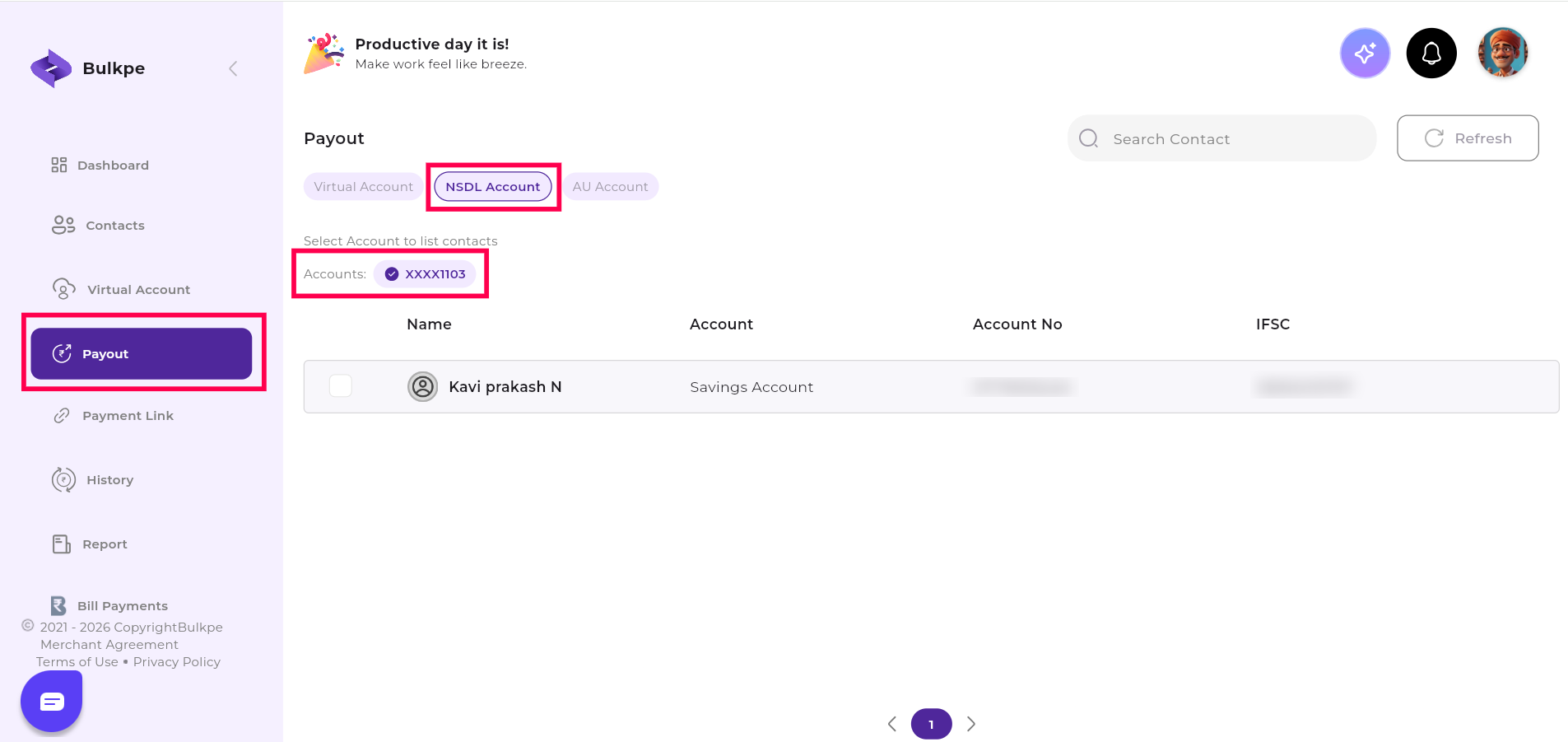
5. You will see a list of your verified contacts. Click the beneficiary account you want to pay.
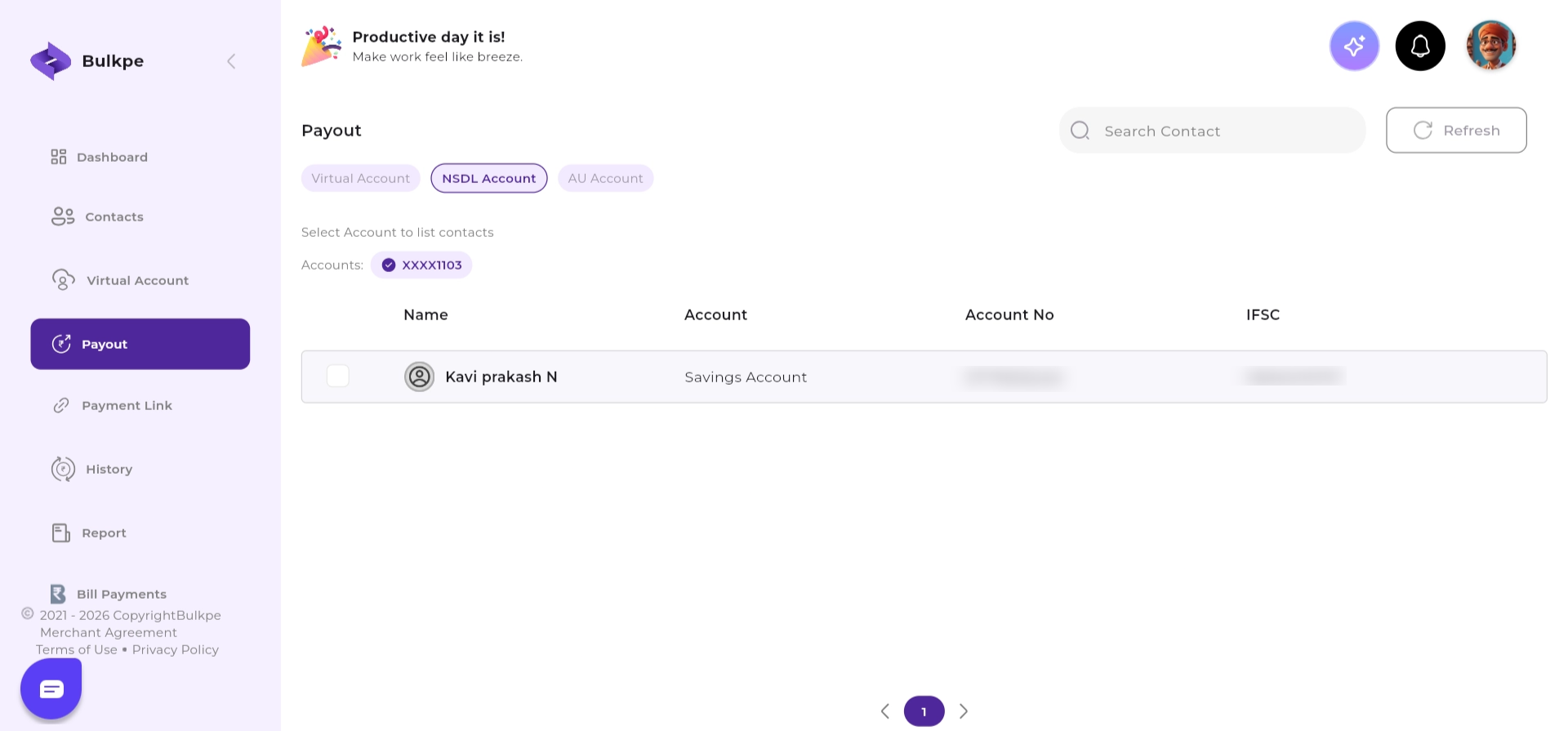
6. After selecting a contact, the Payouts screen will appear with the following fields to fill:
a. Select the payment mode - IMPS, NEFT, RTGS, or IFT.
b. Enter the Amount and an optional Remark.
c. Click the Pay button (bottom right, purple) to proceed.
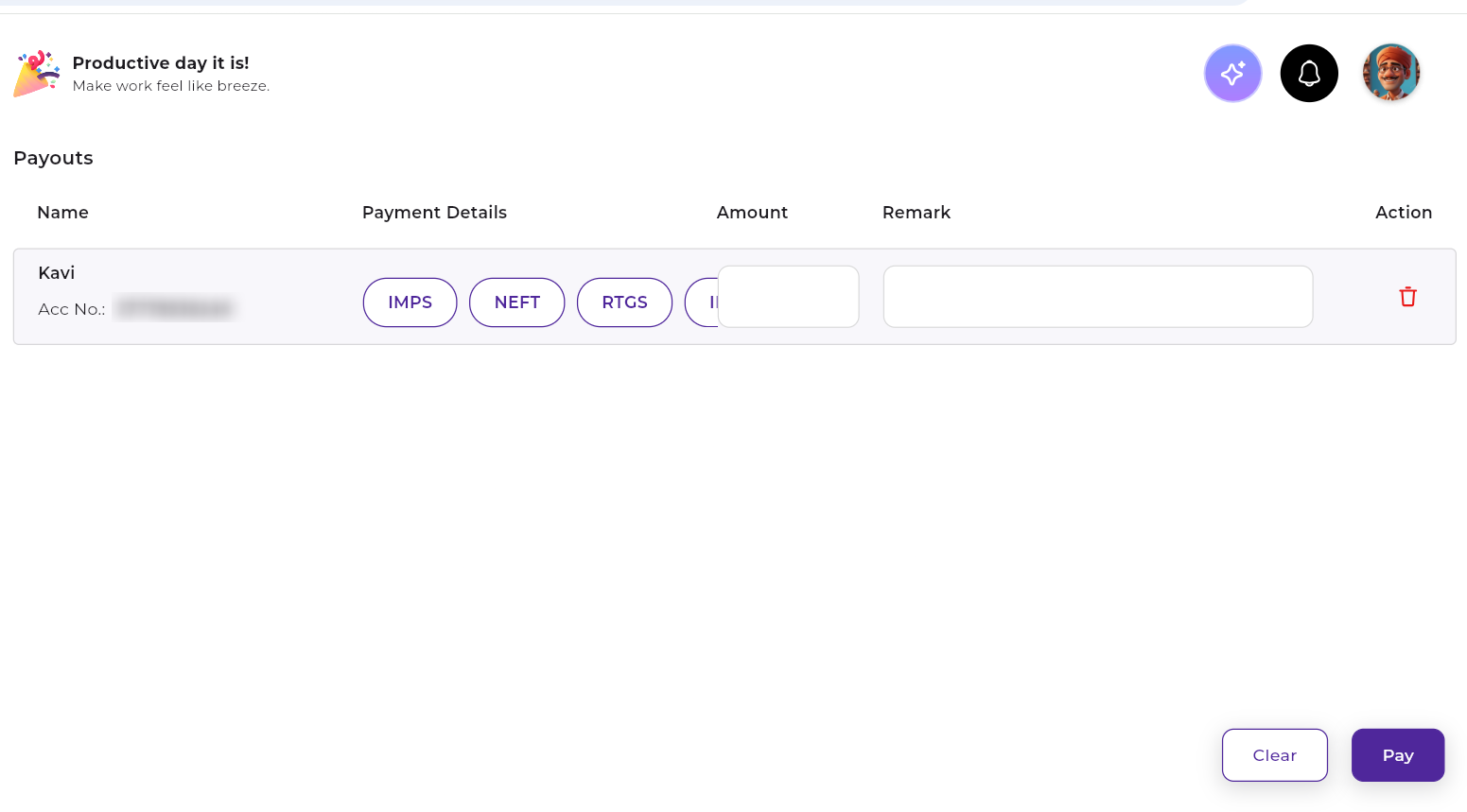
7. After clicking Pay, you will be redirected to the NSDL Payments Bank Connected Banking portal to authorize the transaction.
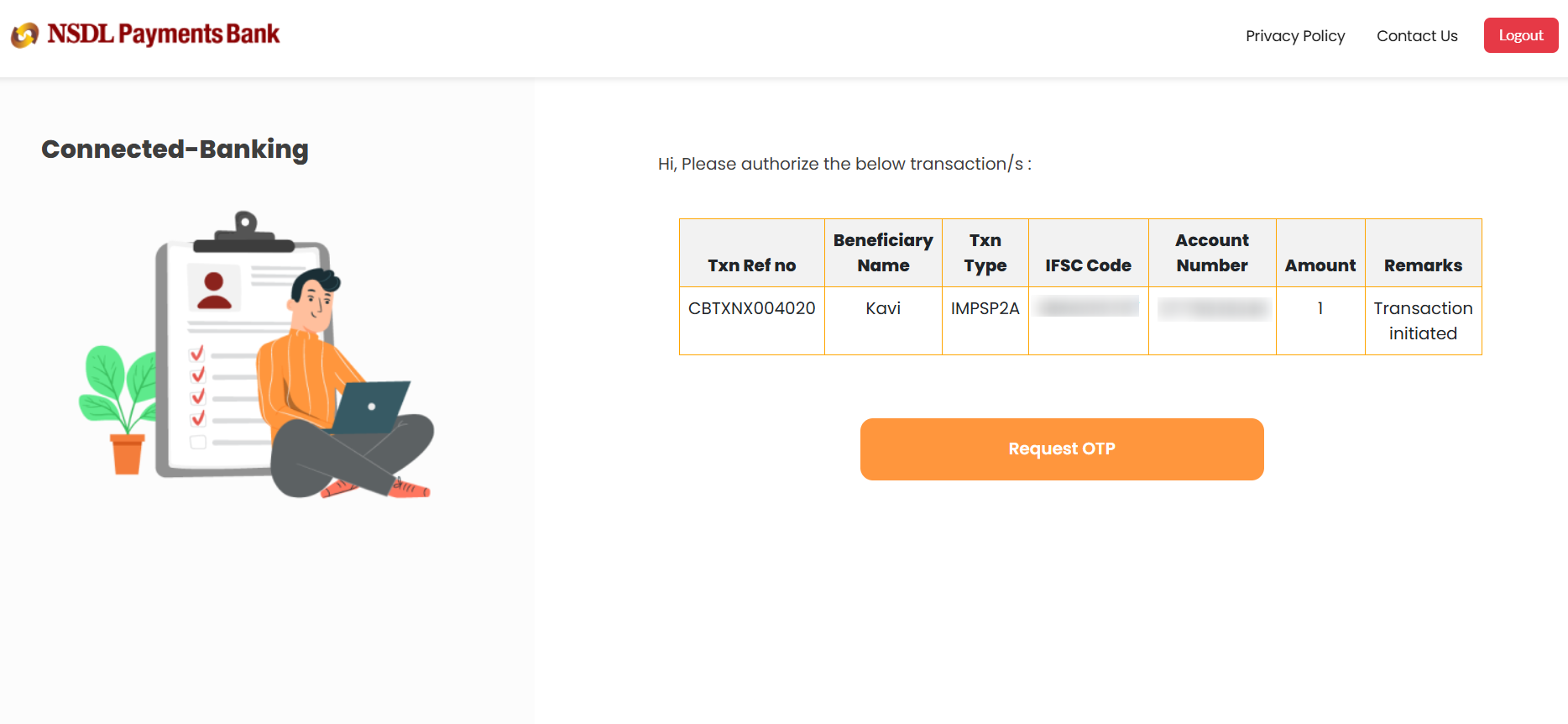
8. Review the transaction details on the NSDL Connected Banking page.
9. Click Request OTP - an OTP will be sent to your NSDL-registered mobile number.
10. Enter the OTP in the 'Enter Valid OTP' field.
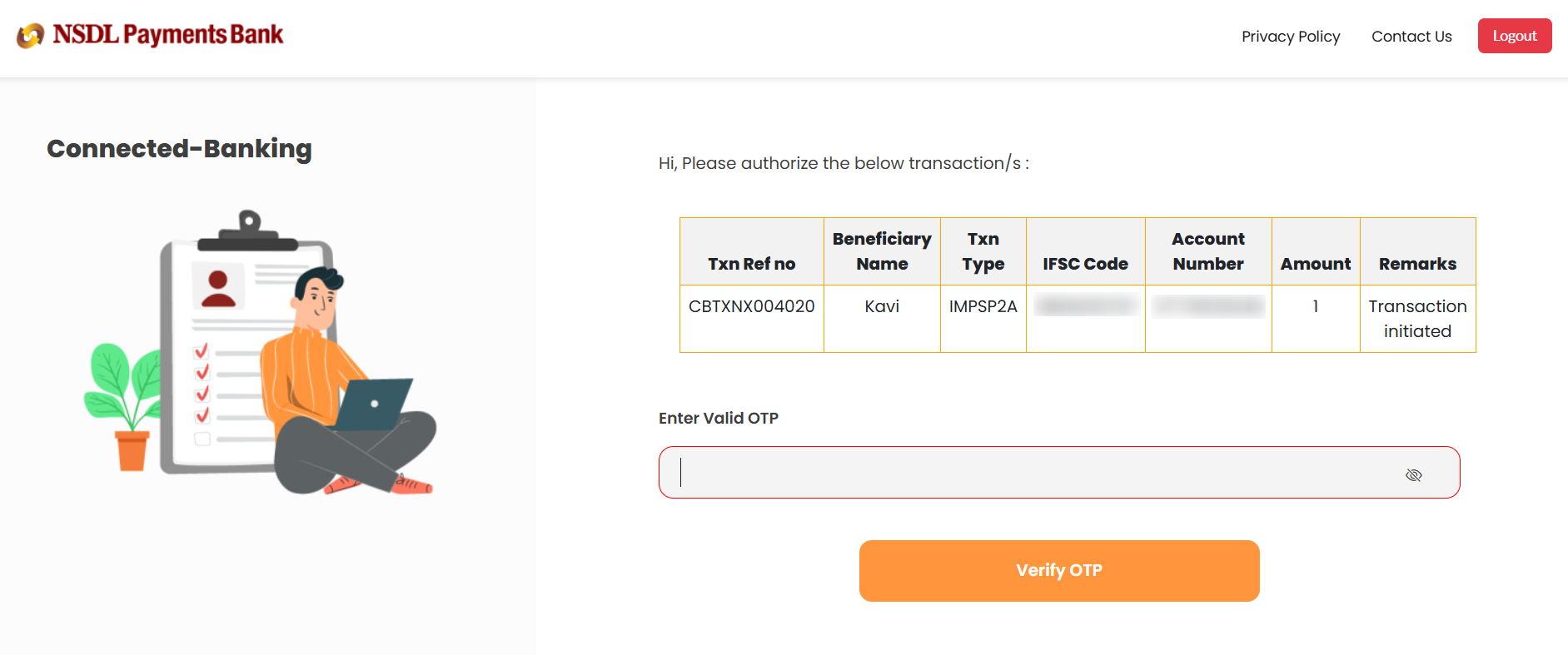
11. Click Verify OTP to validate.
12. Once verified, click the Authorise button to confirm the transaction.
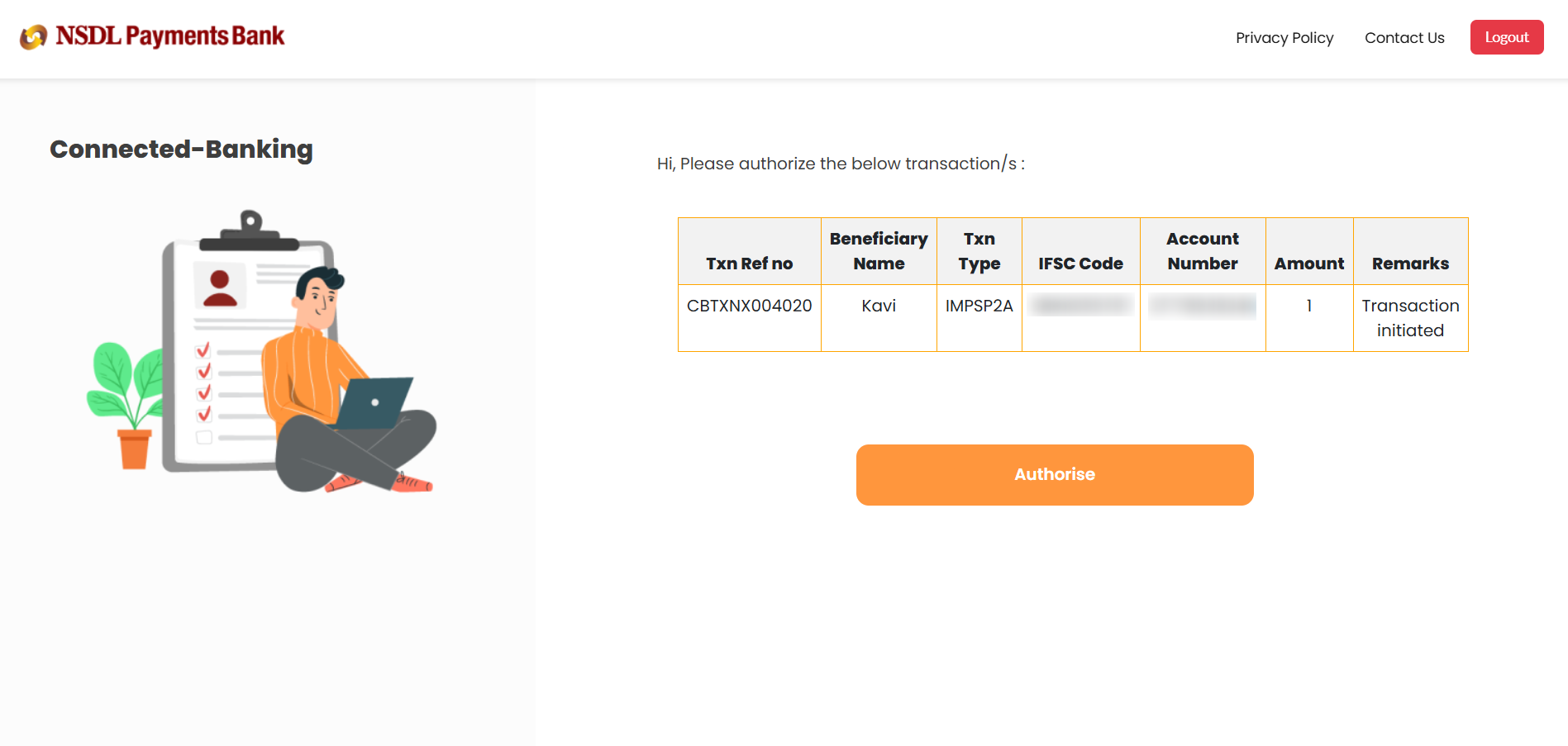
13. You will see a 'BenePayout Added Successfully' confirmation banner at the bottom of the page.