NSDL Beneficiary Creation
This guide walks you through adding a new beneficiary (contact) to your NSDL Payments Bank Current Account on the Bulkpe platform.
NSDL Connected Banking is a Payments Bank current account linked directly to your Bulkpe dashboard, enabling you to initiate payouts seamlessly from your NSDL account. Once a beneficiary is added and verified, you can use the contact for instant payouts.
- Active Bulkpe account with an NSDL Current Account linked (Account ending XXXX5341)
- Beneficiary's full name, bank account number, and IFSC code
- Access to the NSDL-registered mobile number for OTP verification.
1. Log in to your Bulkpe dashboard at app.bulkpe.in
2. Navigate to Contacts from the left sidebar.
3. Select the NSDL Account tab at the top.
4. Choose your linked account (e.g., XXXX5341) from the Accounts dropdown.
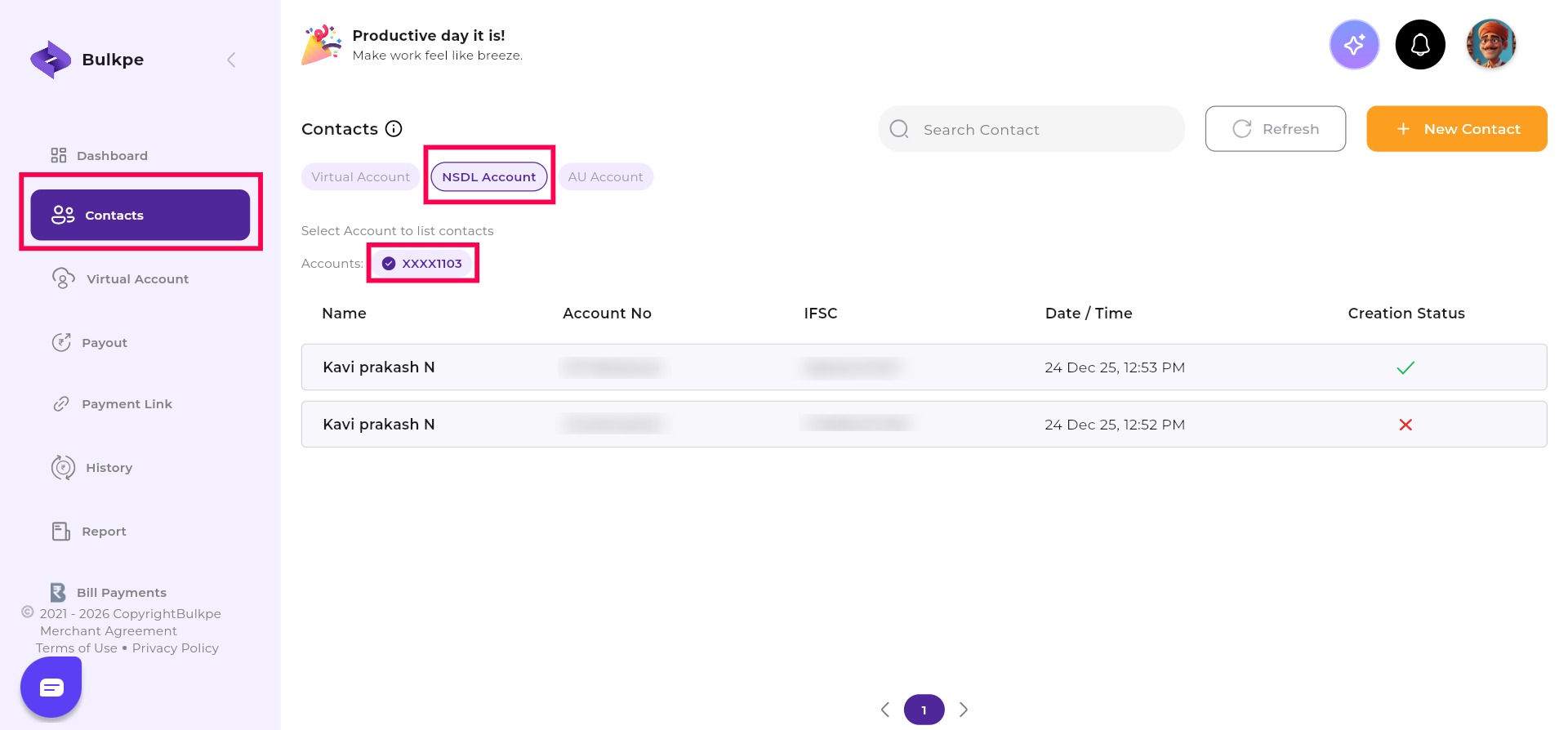
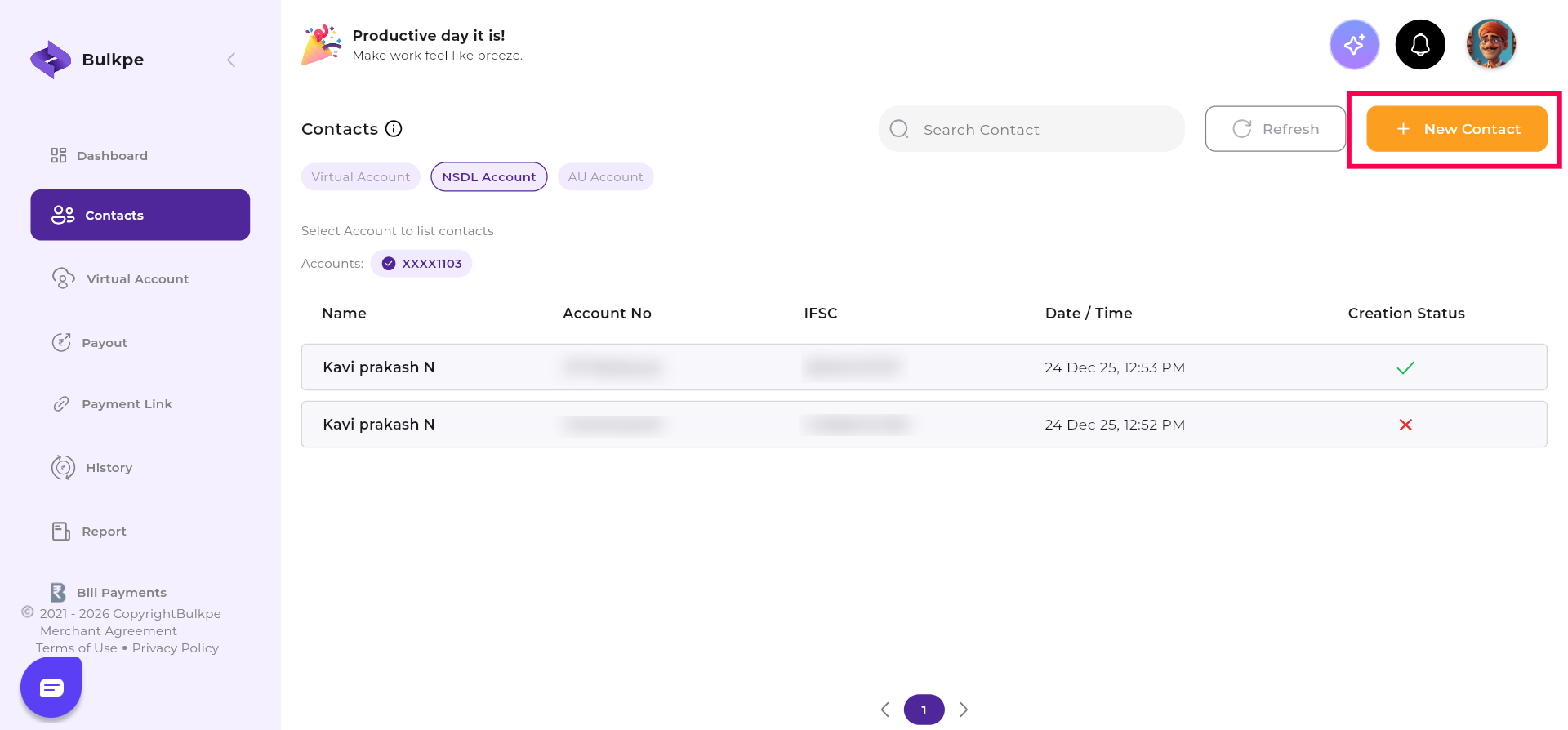
5. Click the + New Contact button (top right, orange).
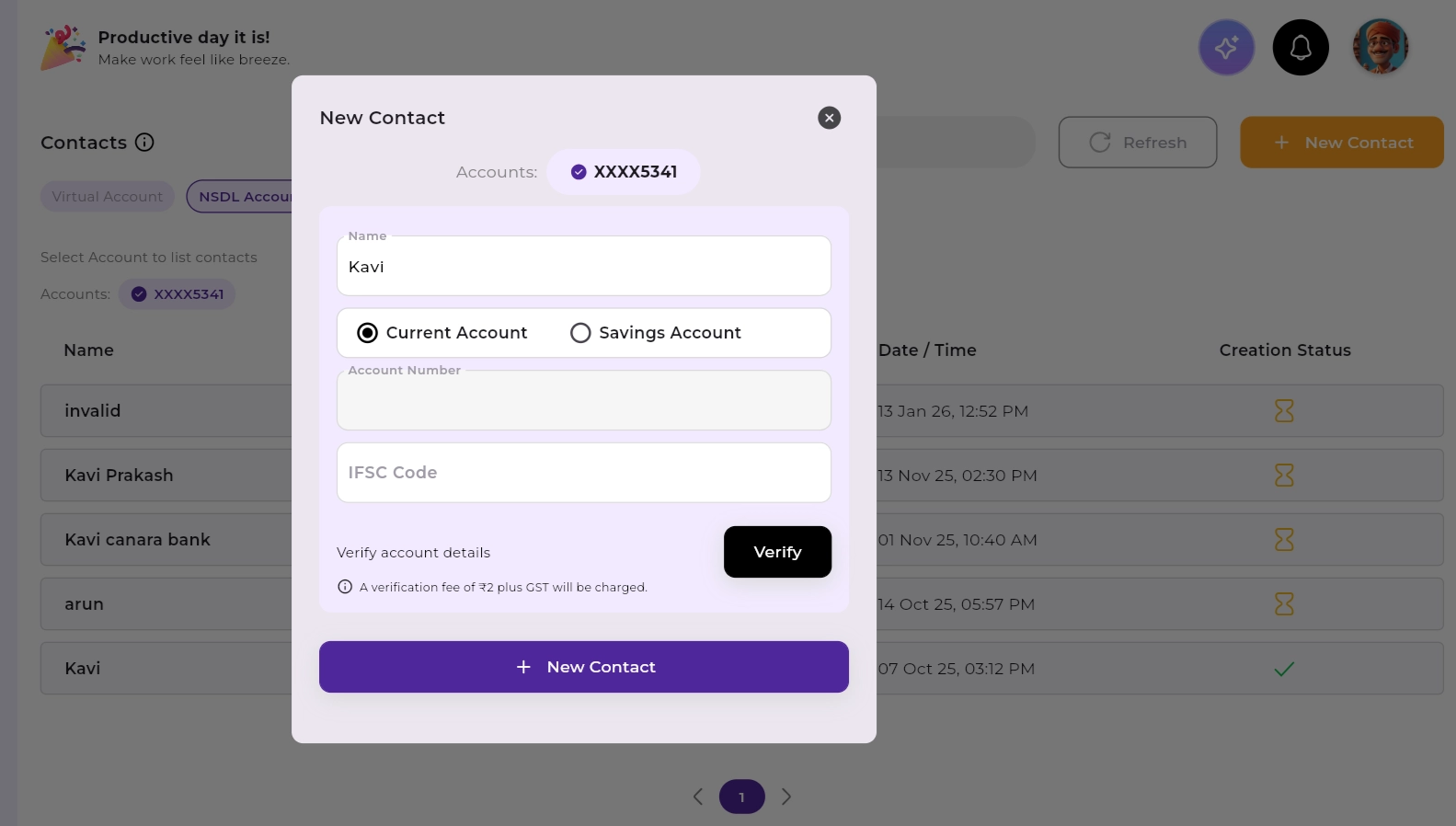
6. Enter Name, Account Type (Current/Savings), Account Number, and IFSC.
7. Click Verify to validate the account details. Verification is optional. A fee of ₹2 + GST applies if you choose to verify.
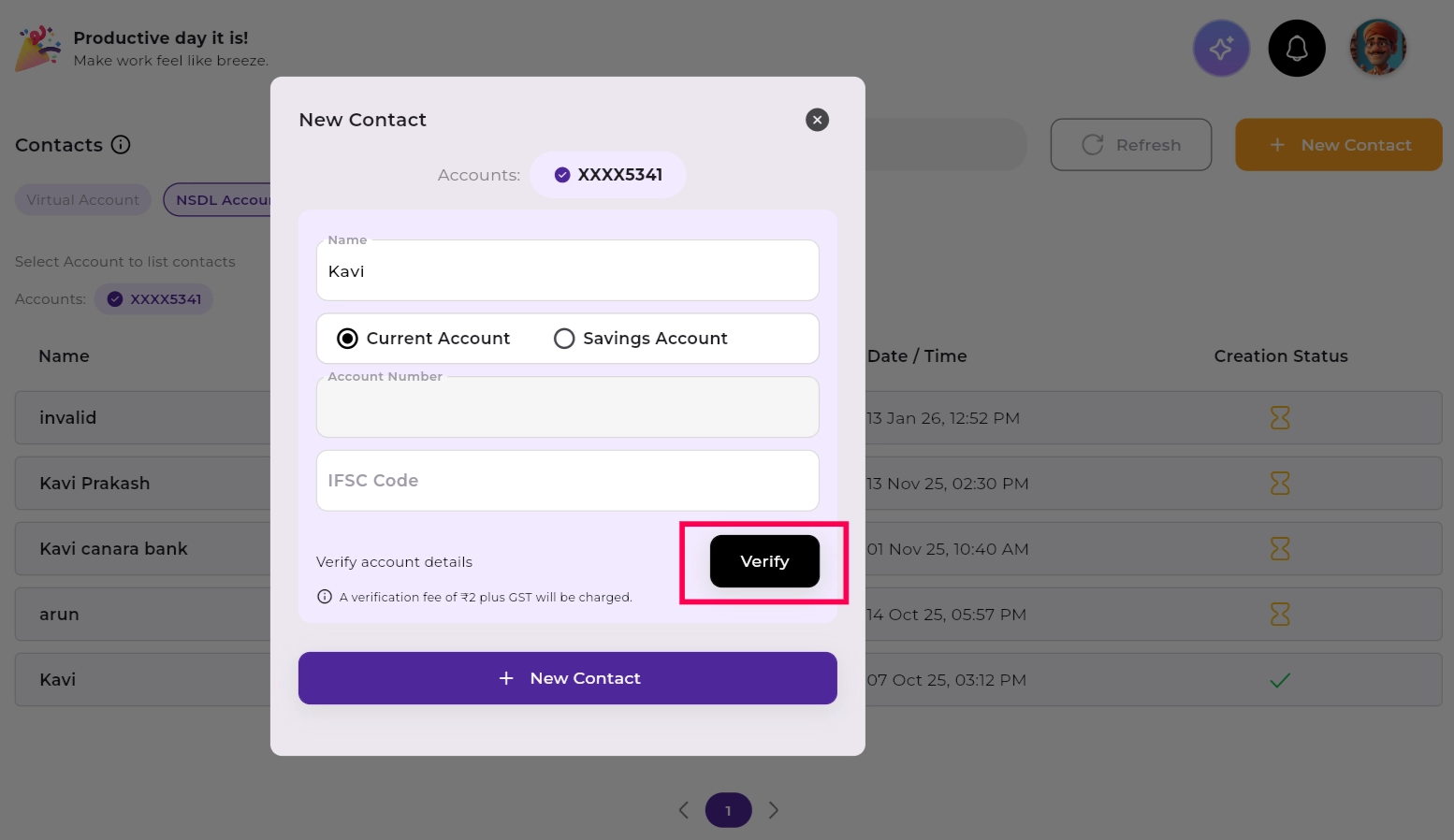
8. Once verified, click “+ New Contact” to submit.
After submitting the contact in Bulkpe, you will be redirected to the NSDL Payments Bank Connected Banking portal to authorize the beneficiary addition.
9. Review all pre-filled details on the NSDL Connected Banking page.
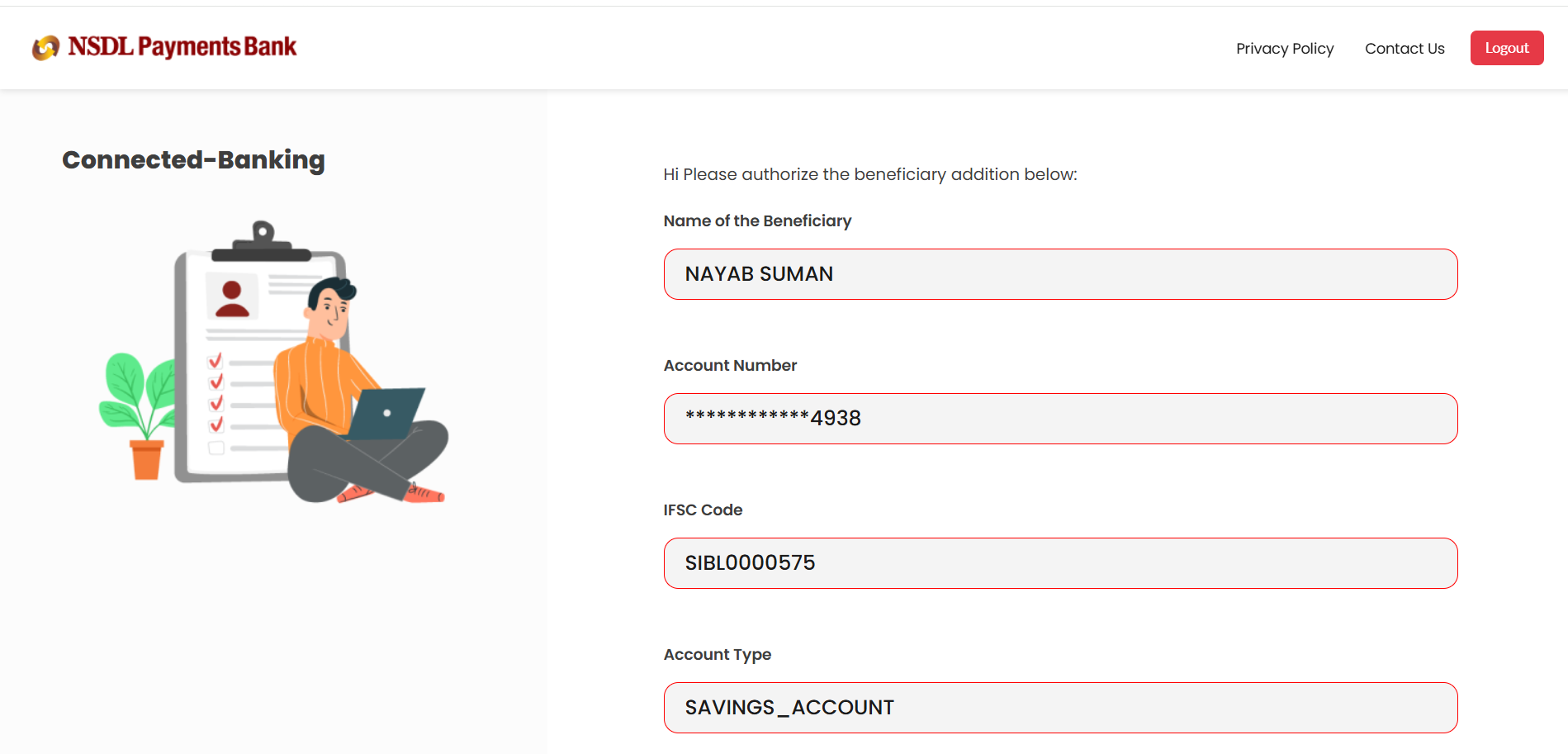
10. Click Request OTP to receive a one-time password on your registered mobile number.
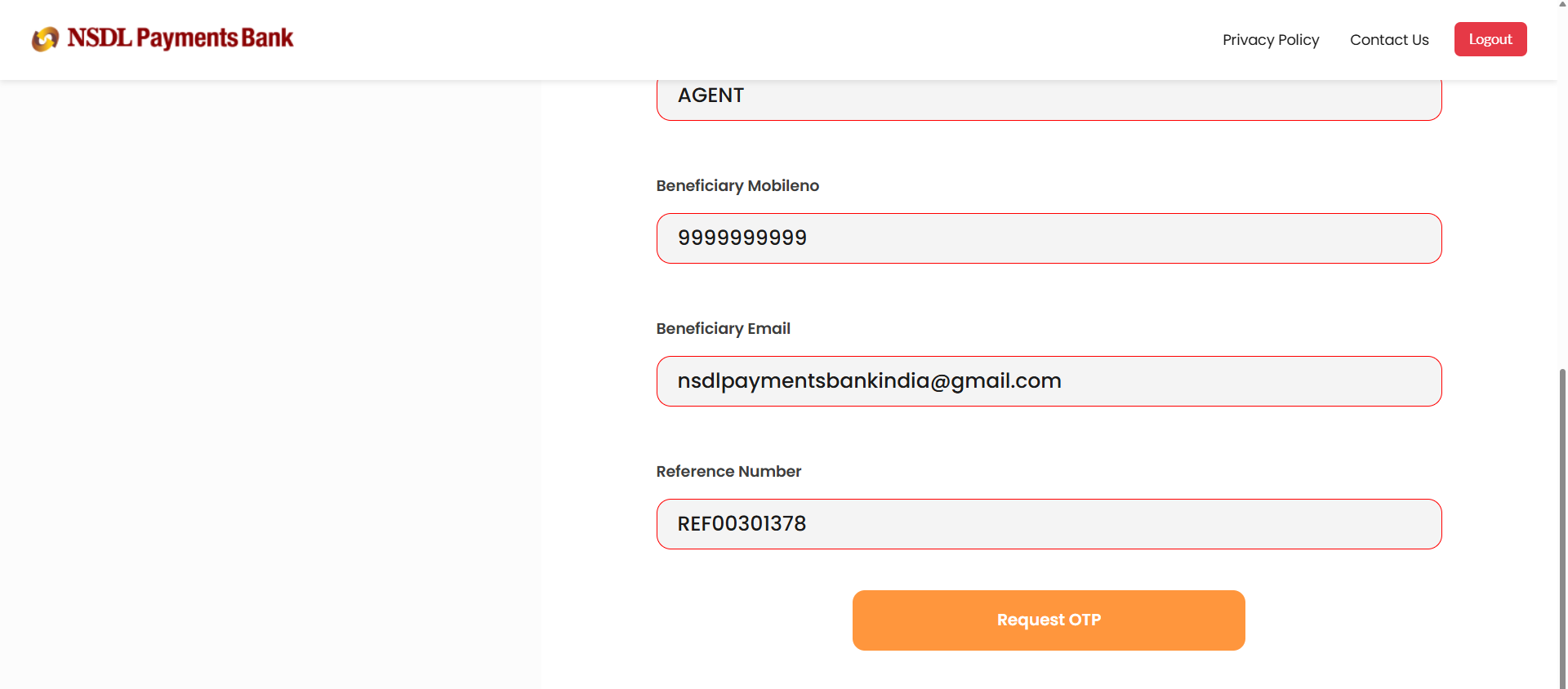
11. Enter the OTP when prompted.
12. Click “Beneaddition Setup” to confirm.
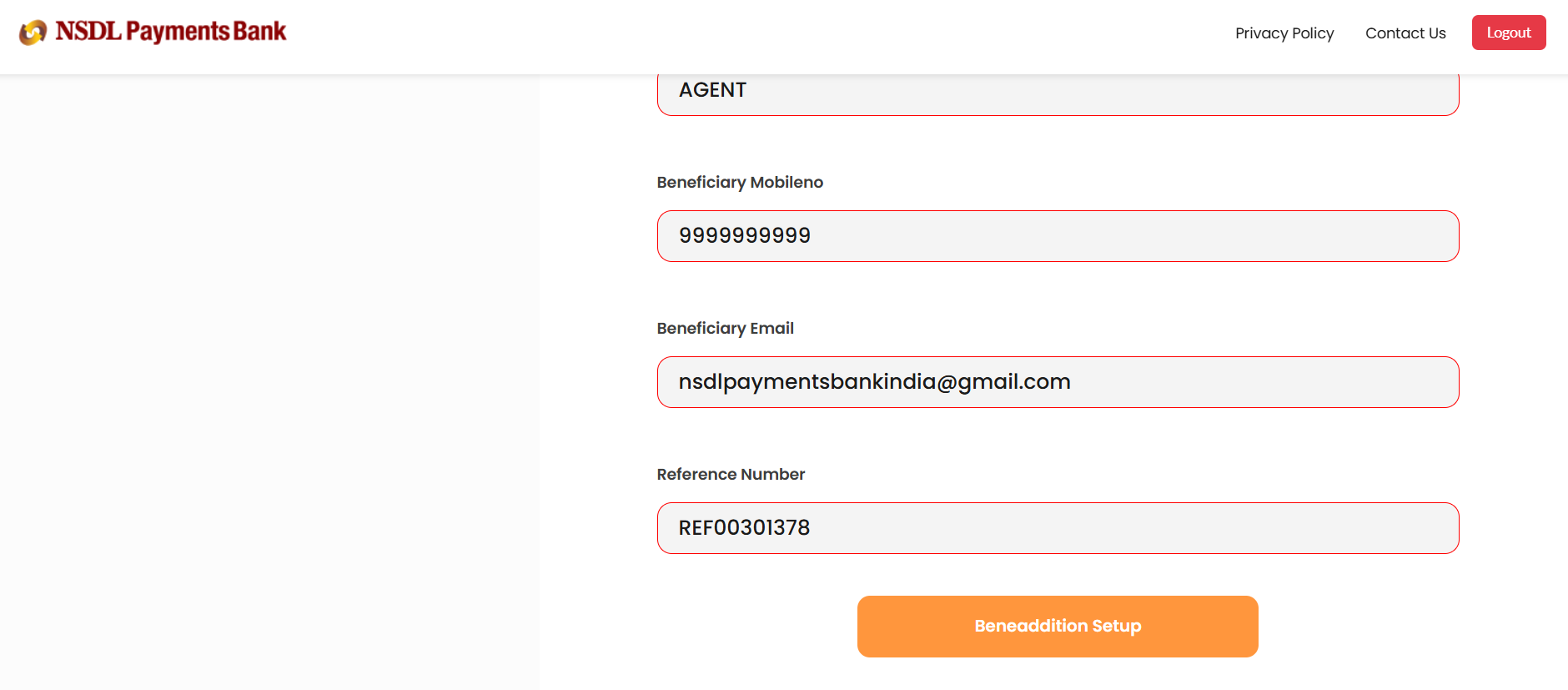
13. You will see a "Beneaddition Setup Success" confirmation banner at the bottom of the page.
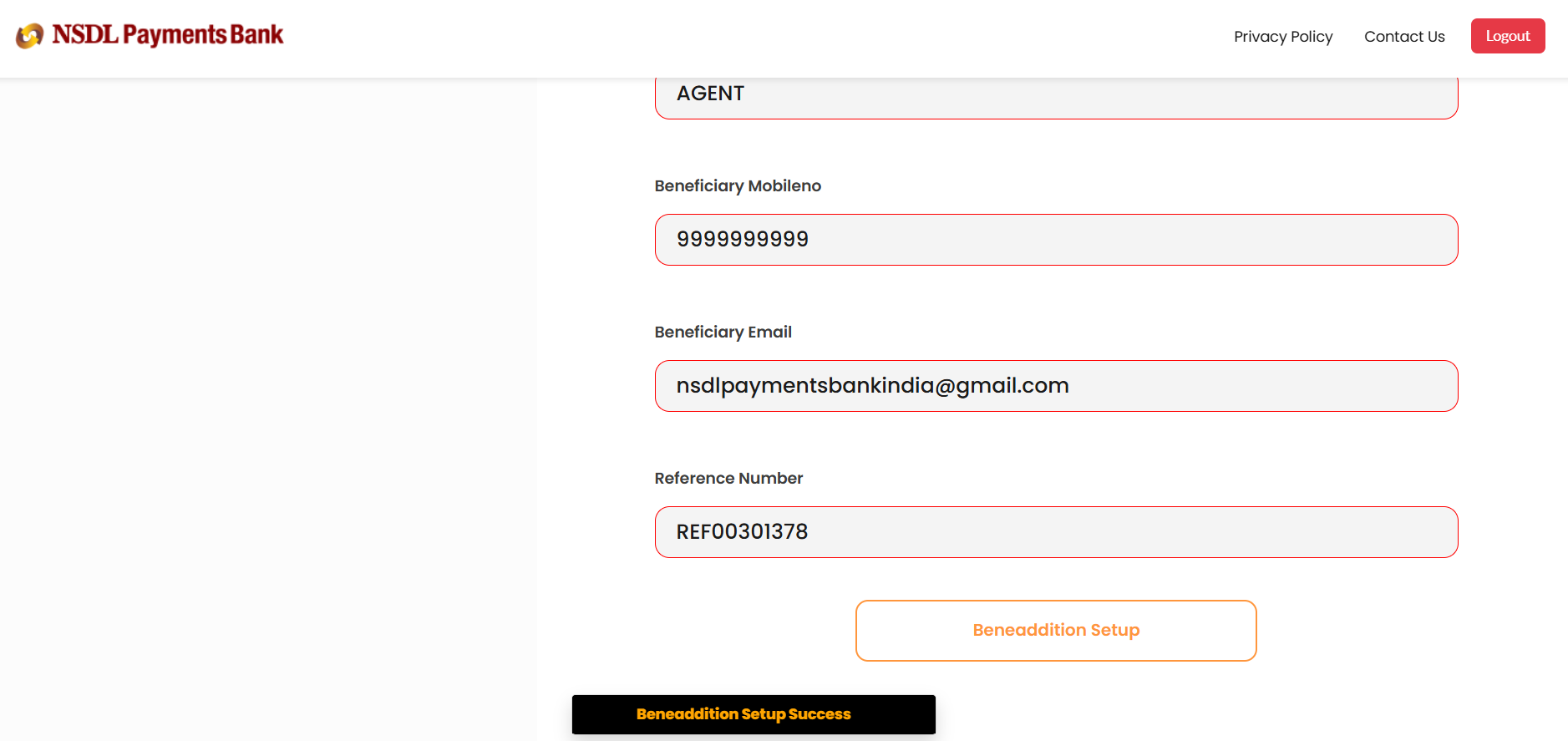
14. You will be redirected to Contacts, where you can find the status of contact creation from the “Creation status” parameter.
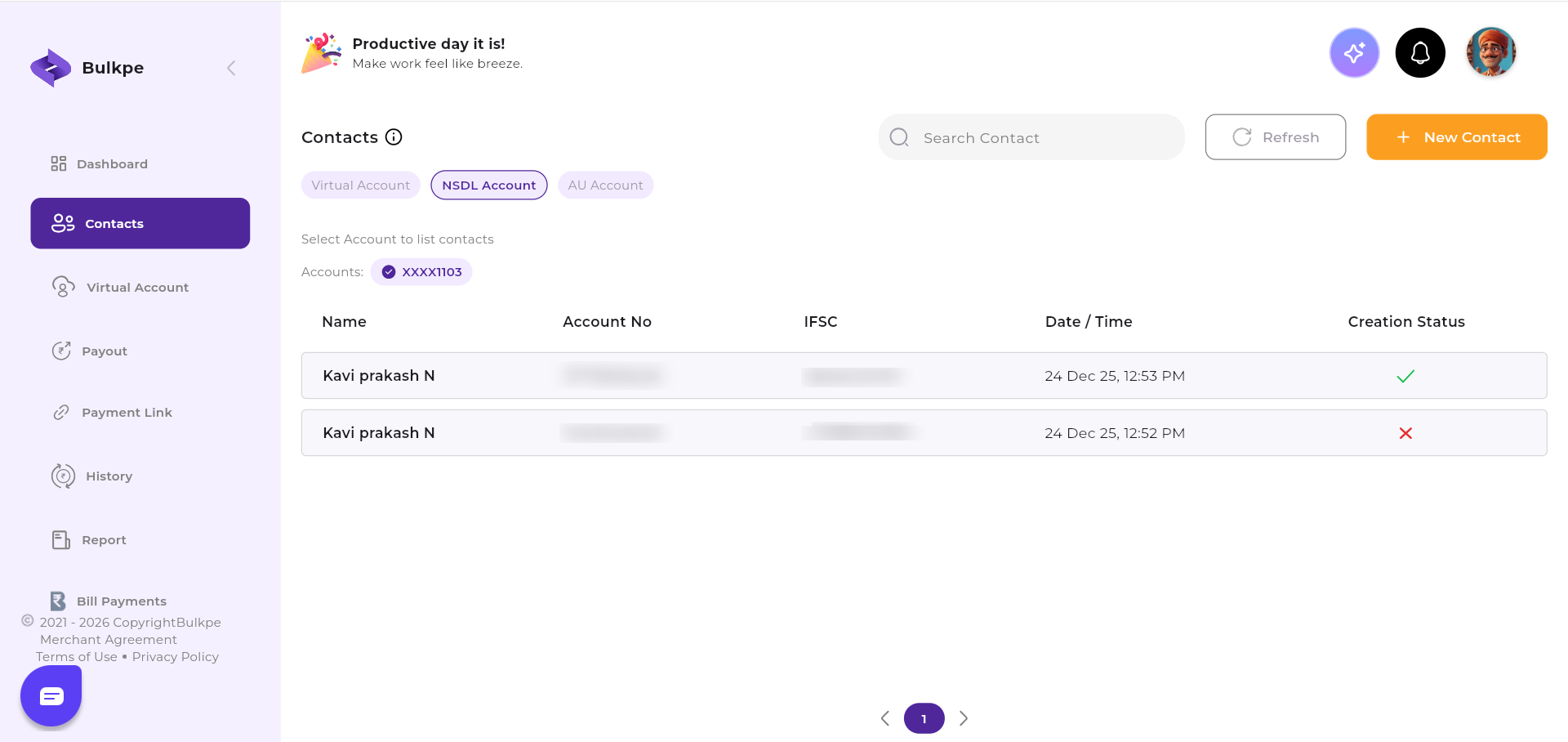
Contact Creation Status Reference
| Status | Meaning |
|---|---|
| Pending | Beneficiary addition is awaiting NSDL authorization. Please wait and refresh after a few minutes. |
| Active | Beneficiary has been successfully added and is ready to receive payouts. |
| Failed | Authorization was unsuccessful. Please retry or contact Bulkpe Support with your Transaction ID for assistance. |
Need further assistance? If you face any issues during beneficiary creation, contact Bulkpe Support with your Transaction ID for further investigation.