How to Add GST in Bulkpe
Businesses can easily add or update their GST details from the Bulkpe web app. This ensures your invoices are GST-compliant and generated correctly.
- Log in to the Bulkpe web application.
- Navigate to Settings from the left sidebar.
- Open the Accounts tab.
- Under Business Information, locate the GST field.
- Click the Edit (✏️) icon next to GST.
- Enter your valid GSTIN and save the changes.
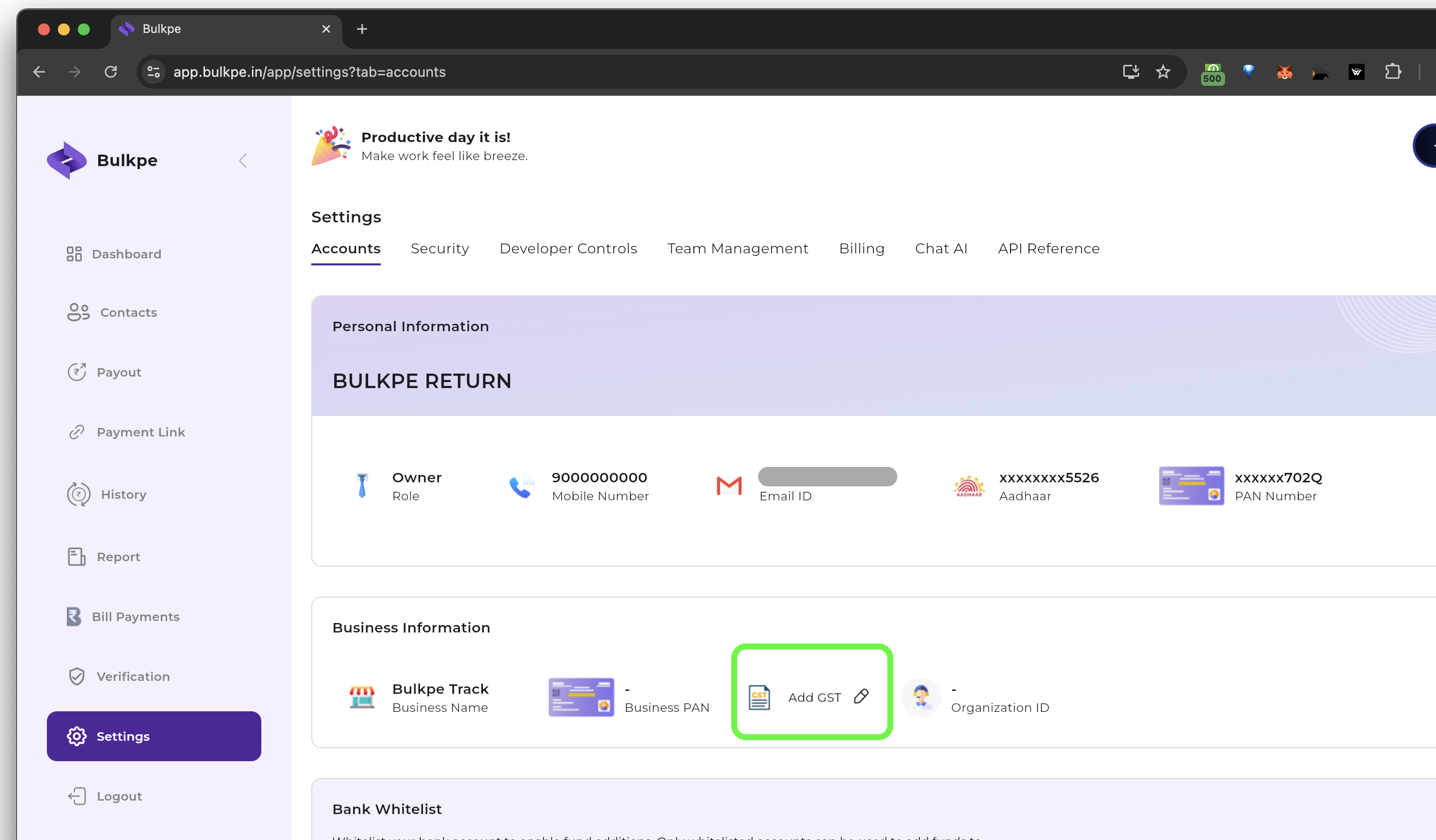
- Your GST details will be verified and saved against your business profile.
- From the next billing cycle, all invoices issued by Bulkpe will: Be GST-registered Include your GSTIN Be generated as GST-compliant e-invoices, wherever applicable
- Ensure the GSTIN entered belongs to the same business entity registered on Bulkpe.
- Ensure your Business Address and Pin code are updated as per your GST.
- GST changes apply prospectively and do not affect already generated invoices.
- If you face any issues or updated incorrectly, please contact [email protected].