Make Bill Payments
Users can view all available bills from their enabled accounts and choose to pay bills as needed. All bills are automatically updated in the Bills section every day, ensuring the latest due amounts and statuses are always reflected.
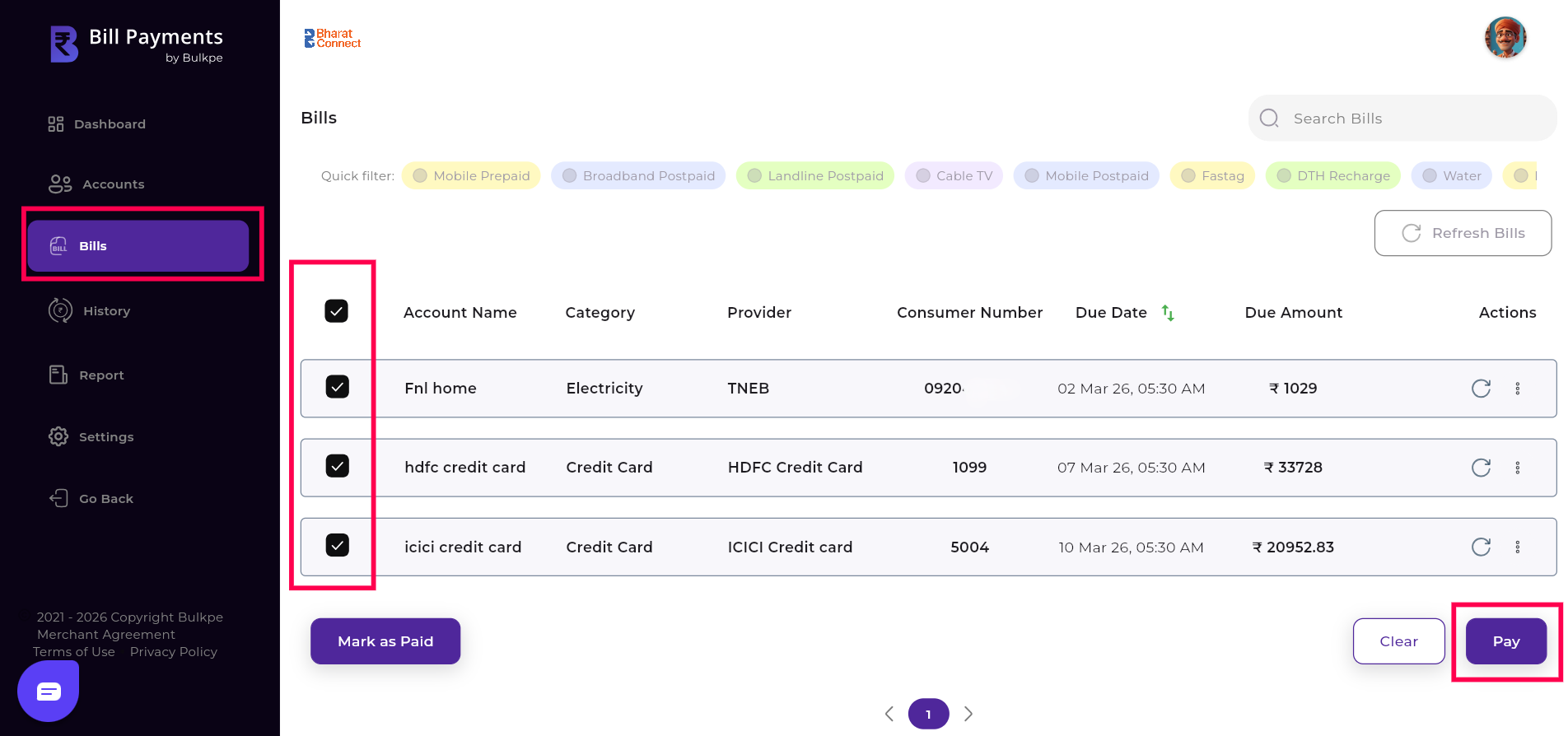
Step 1 : Navigate to Bill Payments Dashboard —> Bills
Users can choose to pay all bills at once by selecting the “Mark All” option or pay only specific bills by selecting the required ones, providing complete flexibility and control over their payments.
After marking the required bills, the user must click the “Pay” button located at the bottom right to proceed with the payment.
Step 2 : Users can either pay the system-generated bill amount or choose to enter a customized amount based on their preference.
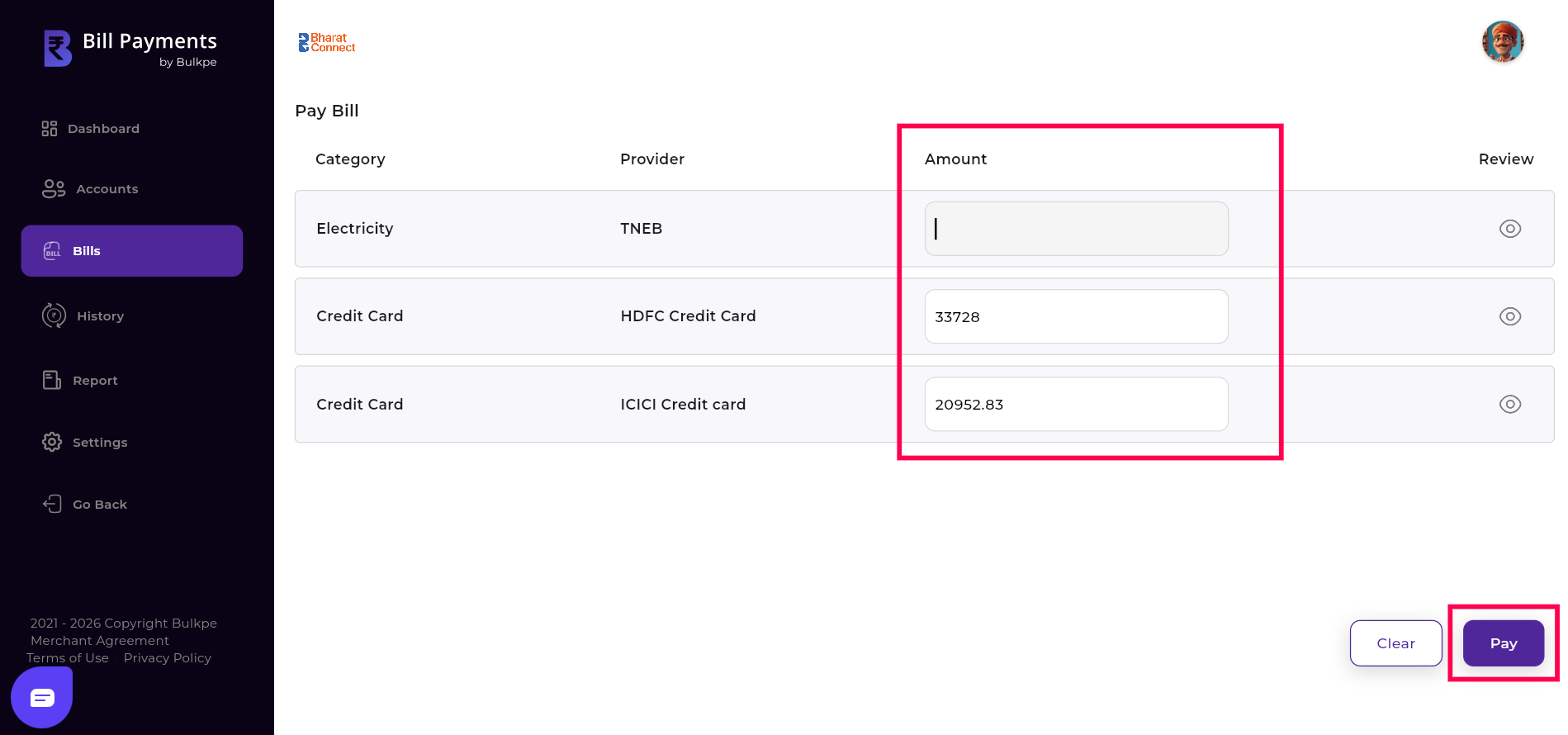
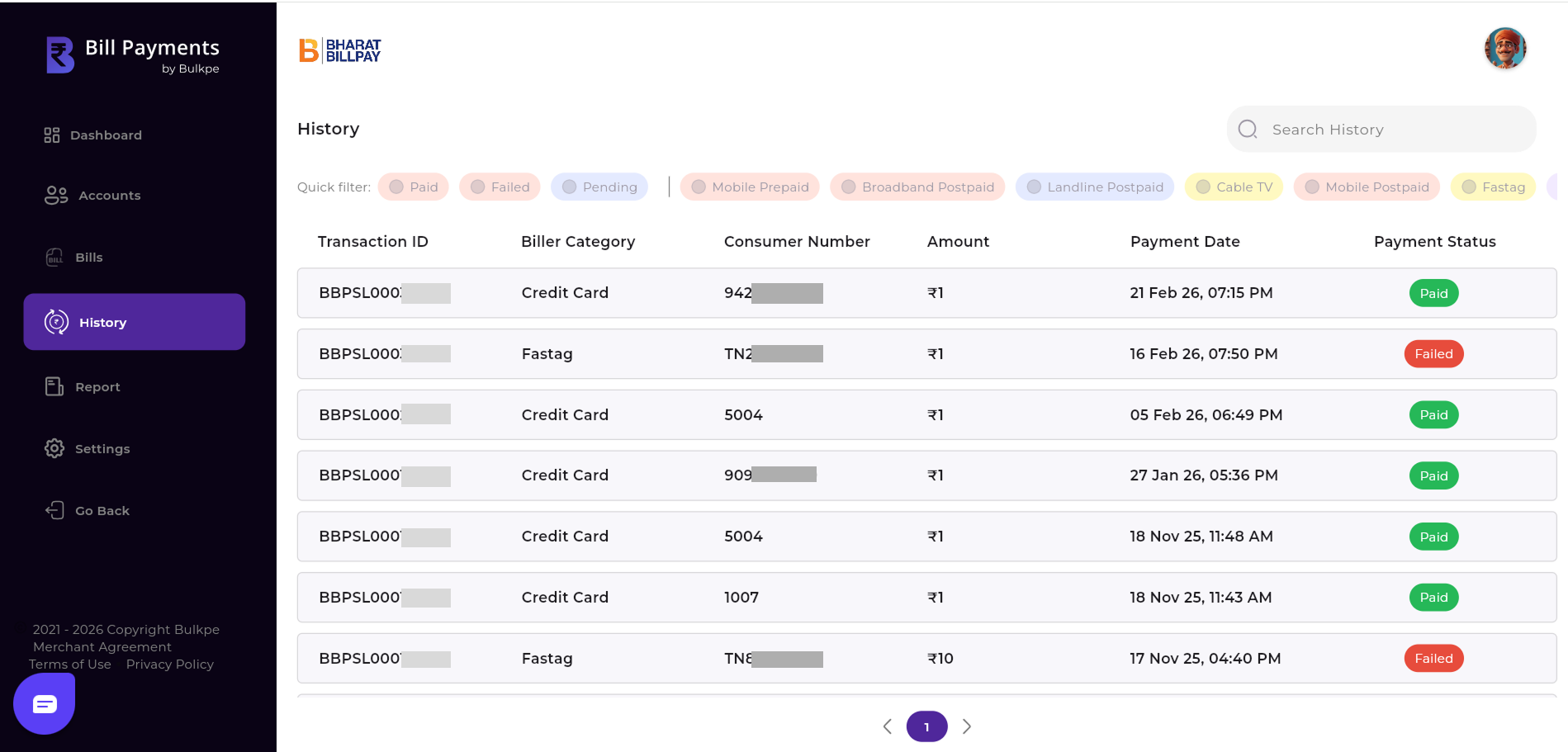
After the amount is selected or entered manually, the user must click the “Pay” button at the bottom right to proceed. Upon clicking, the bill amount is deducted from the Bulkpe virtual account, subject to balance availability. The user is then redirected to the History tab, where they can view the status and detailed information of all bill paid.