Low Balance Alert
Bill payments are processed directly from the Bulkpe Virtual Account. Users can set a low-balance threshold, and an email alert will be automatically triggered whenever the balance falls below the defined limit. Additionally, users can configure multiple email IDs to receive these low-balance notifications.
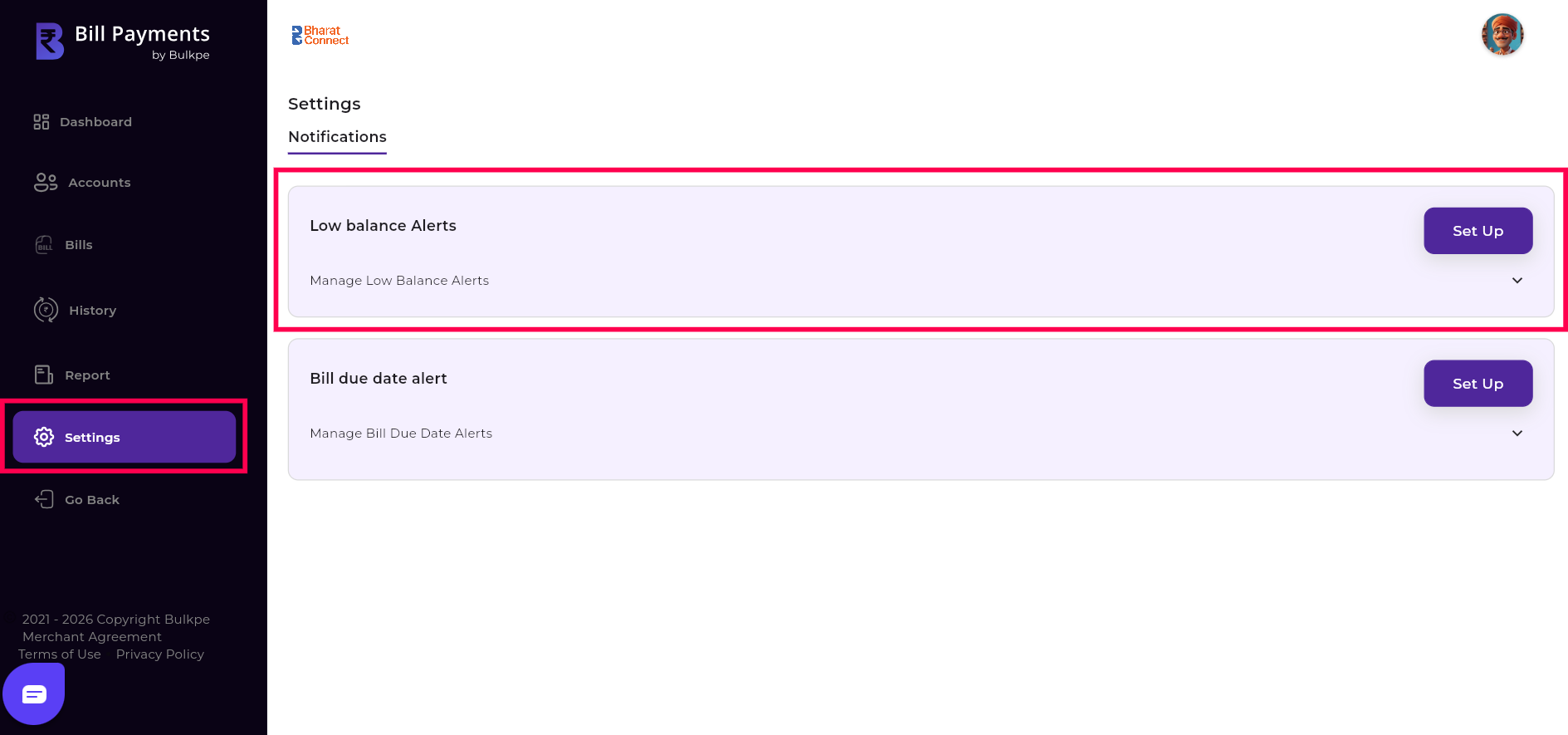
Step 1: Navigate to Bulkpe Bill Payments Dashboard —> Settings —> Notifications —> Low Balance alerts.
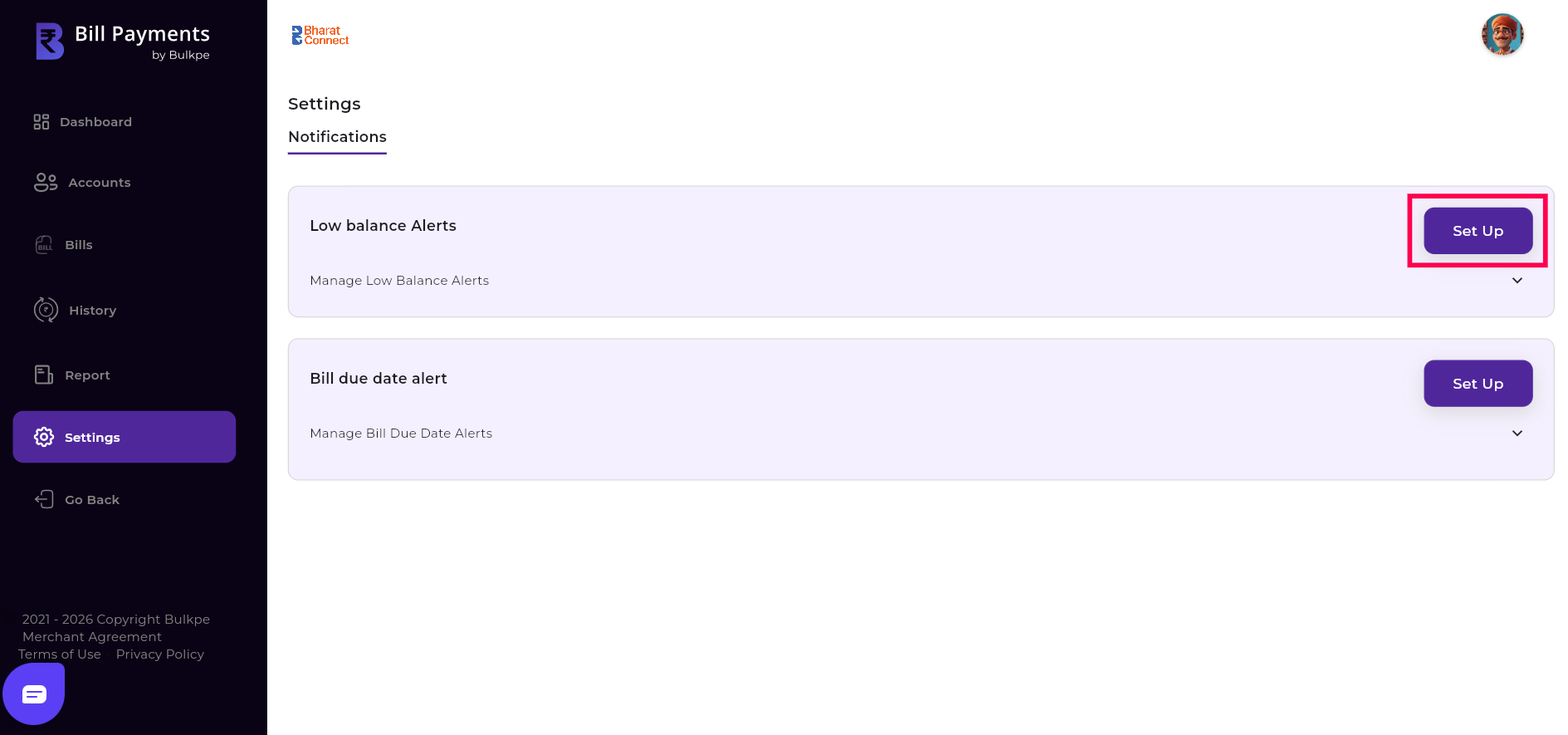
Step 2 : Click “Set up” button in top right of Low balance alert column.
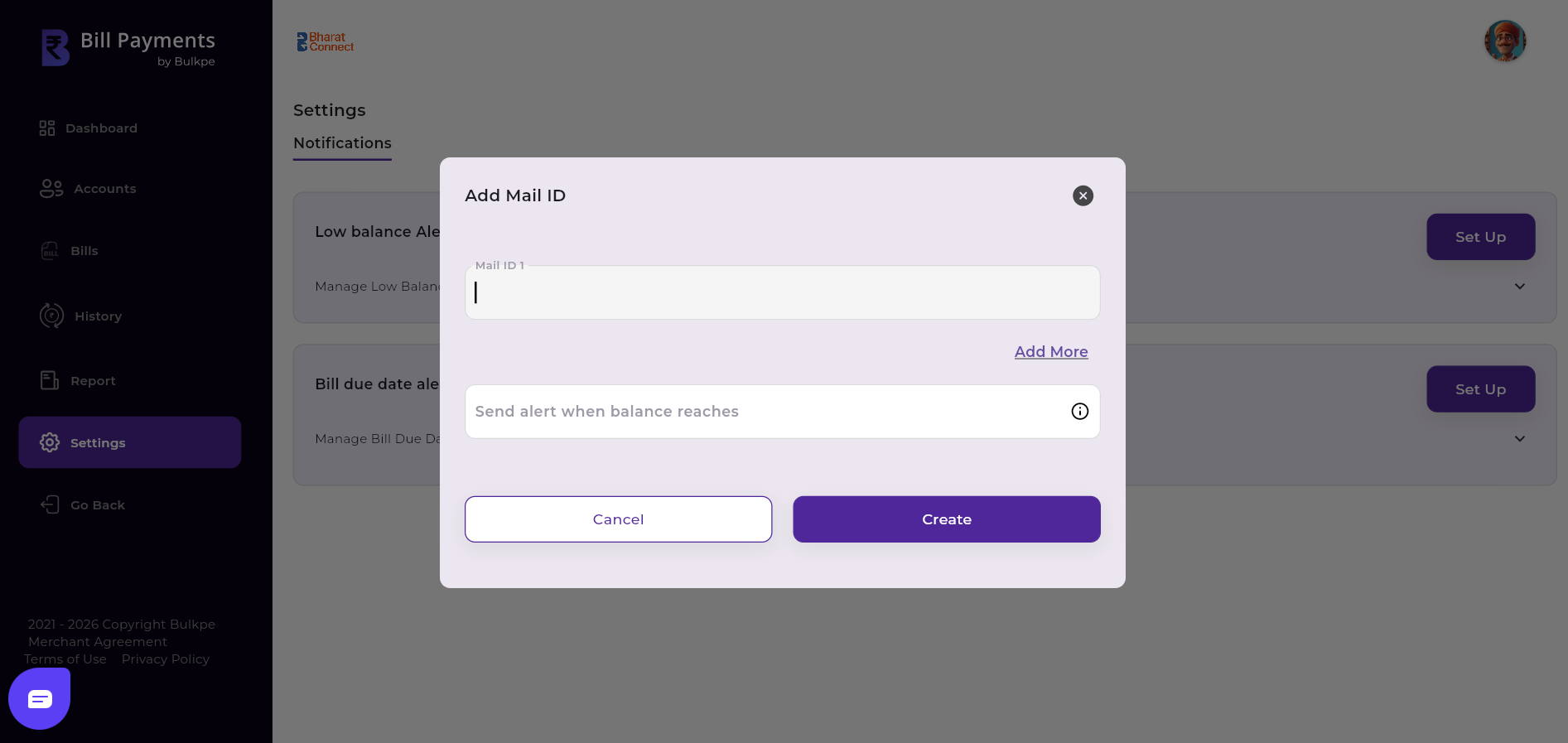
Step 3 :
Enter the Email ID(s) and specify the balance threshold below which you would like the email alert to be triggered. To configure additional email IDs, click “Add More.”
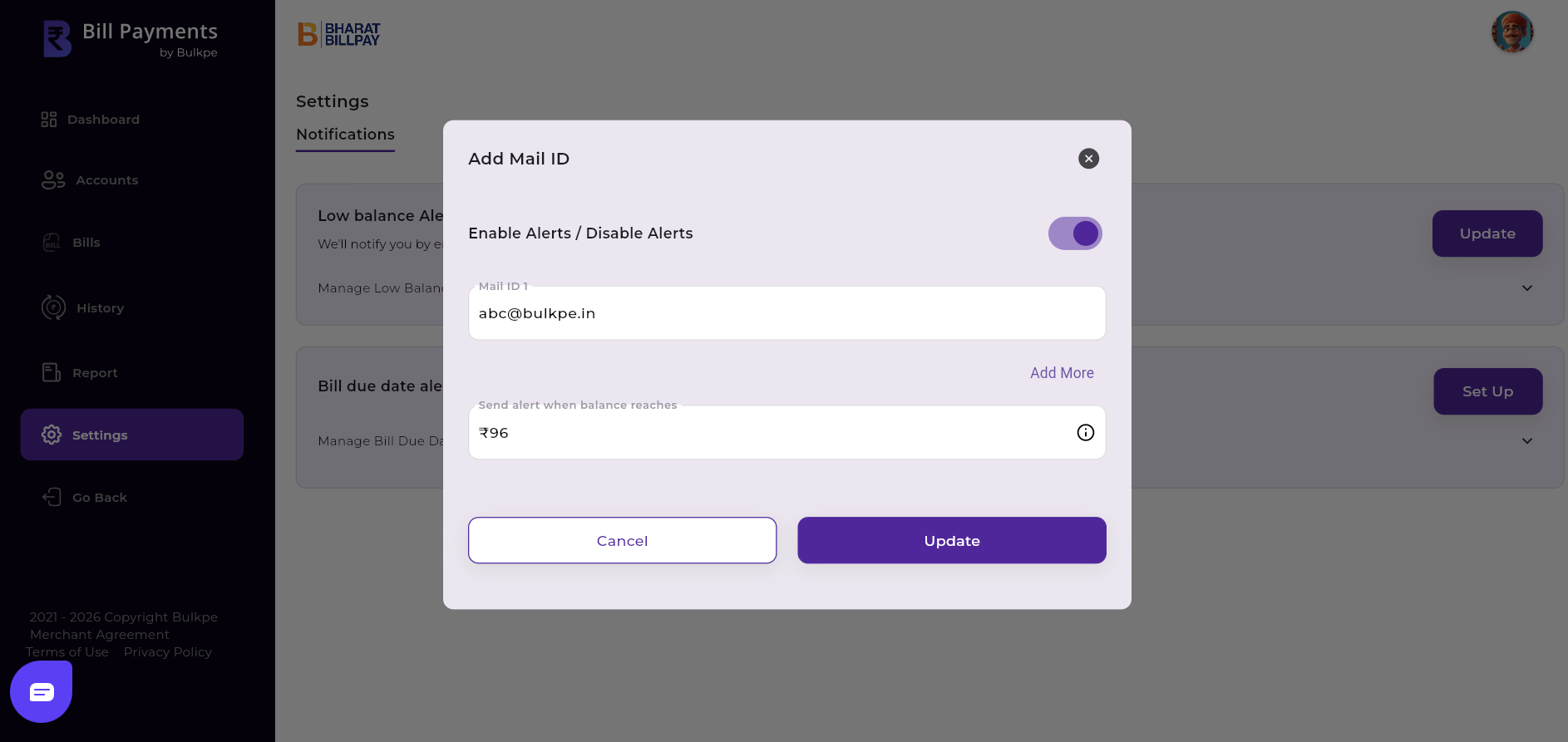
Edit the existing low balance alert by updating the balance threshold for email alerts and adding or removing email IDs.
Step 1 : Navigate to Bulkpe Bill Payments Dashboard —> Settings —>Notifications —>Low balance alerts.
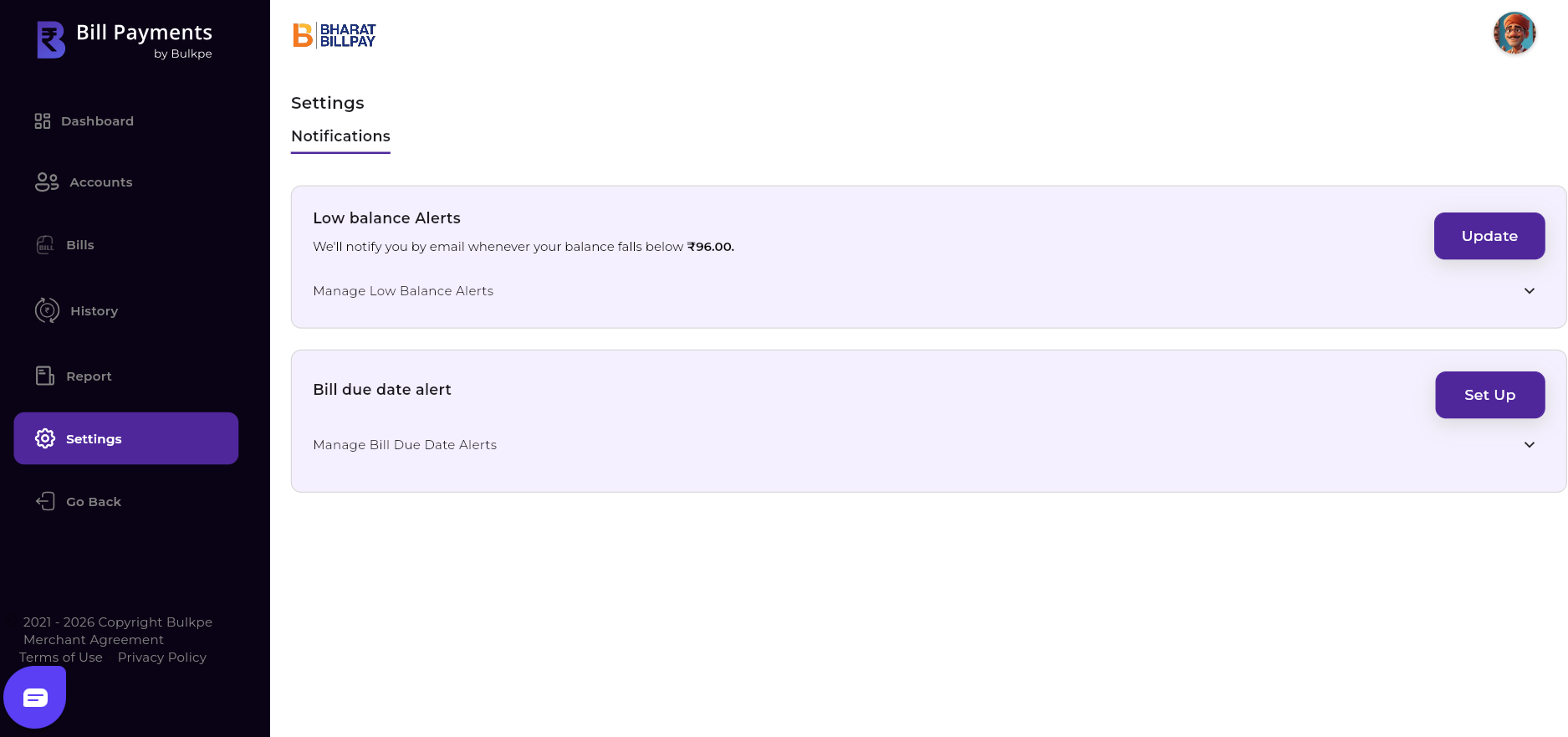
Step 2 : Press “Update” button in right corner of Low balance.
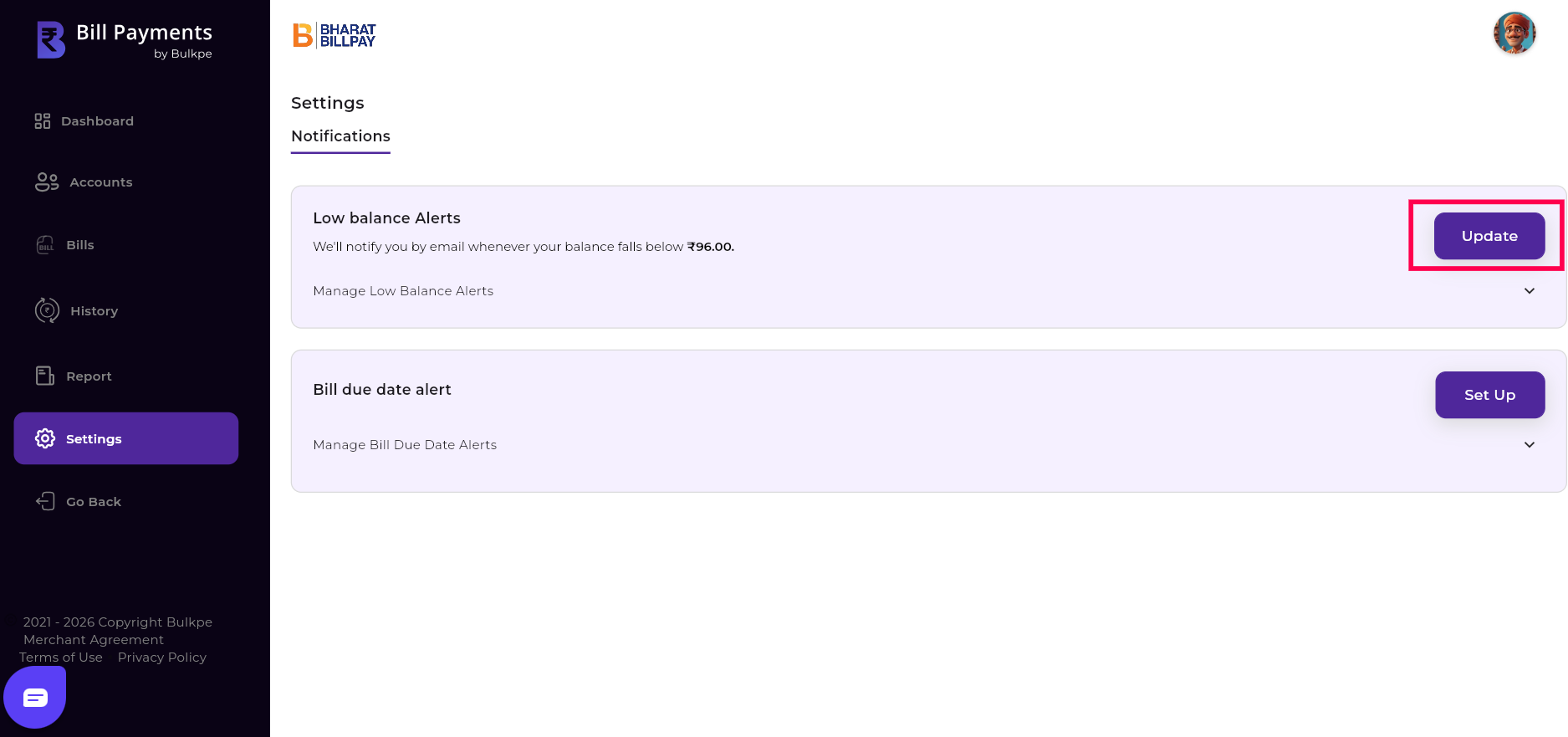
Step 3: Use the toggle to enable or disable the alert. You can also update the balance threshold or modify/add email IDs as needed.